
How to manage plus-ones and children in event registrations
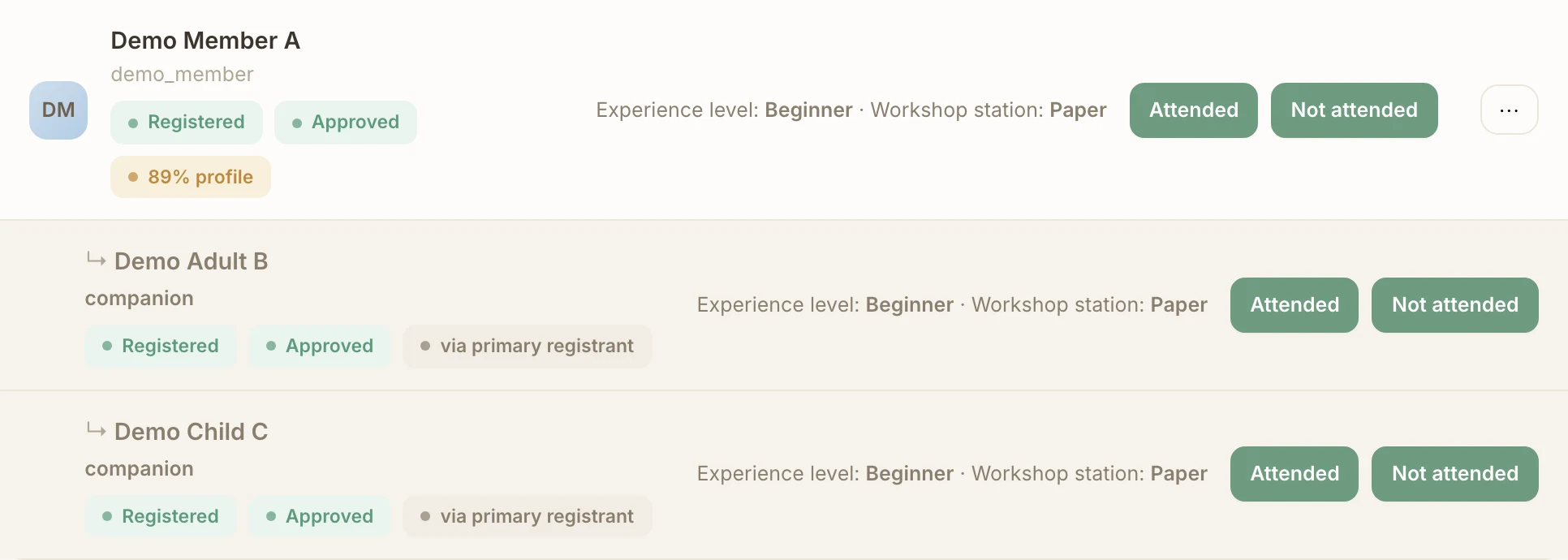
Register a group without treating it as a single anonymous headcount. Demo Member A registers for Demo Workshop, brings Demo Adult B and adds Demo Child C. Each person gets their own record, linked to Demo Member A’s registration.
Before you start
- The event must accept registrations and the community’s access and approval rules must allow the attempt. Sign in on the web or open the event in the connected Telegram bot.
- Have the companion identity details requested by the form. An adult companion may require contact details; for a child, use the child option instead of adult contact details.
- Check the group’s total against capacity. Required profile details and event questions apply to companions too.
No Commolyn community yet? We’ll set up your community and first event with you. Request a pilot
Step by step
Worked example: Demo Community · Demo Workshop. Screenshots use synthetic records.
Begin your registration. Follow the event registration guide or open the event’s web registration form. Complete your own required information.
Add the adult. At the companion prompt, choose Add companion and the adult option. Enter Demo Adult B’s name and contact details, pick the right person if the app asks, and review before continuing.
When testing, use synthetic values only.
Add a child. Choose the child option. If the app lists your existing children, select Demo Child C to reuse that profile. Otherwise create the child entry with the requested name and details.
Reuse an existing child profile instead of creating a new one for each event.
Answer for each person. Complete missing profile fields and the event questions for Demo Adult B and Demo Child C, for example which workshop station each will join.
Each person’s profile values are their own. Use Copy from my profile only where it is offered and your details apply.
Review the whole group. Check all three people and their answers, then finish registration. The group takes three places, including the child.
If the event is full, the group may join the waitlist. Without enough places or a waitlist, the registration is refused.
Change the group. Open the registration in Telegram
/myor My Events on the web. Use the companion actions to add or remove a person.A new companion still needs a free place, access and all required answers.
Cancel carefully. To cancel one companion, remove them and check the updated group. To cancel everyone, cancel your own registration, confirm the warning and check the status.
Cancelling your own registration also cancels your companions. A saved child profile is kept.
Waitlists and approval
Automatic waitlist promotion considers the person who registered and all active companions together. It waits until the entire next group fits and does not skip that group for a smaller one. See the waitlist guide. An application awaiting approval is a separate condition; adding a companion or getting a place does not bypass required organizer review.
Organizers can inspect the linked rows in Registrations, review each person’s answers and record attendance separately. Companions are people with their own outcomes, rather than one attendance checkbox for the group.
Troubleshooting
The child is missing from the picker
Make sure you are using the same account and an existing dependent profile you manage. Do not create duplicates just to bypass an account mismatch; ask the organizer for help.
The extra companion cannot be added
Check whether registration is still open, the event has started, access requires review or there are too few places. Existing registration does not guarantee another place.
A companion cannot complete registration
Complete that person’s own required profile and registration fields. Review the question setup rather than filling everything with your own details.
Run this workflow in your own community
Request a pilot and we’ll set up your community and prepare group registration for events where people bring friends or children.
Request a pilot