
How to track attendance at community events
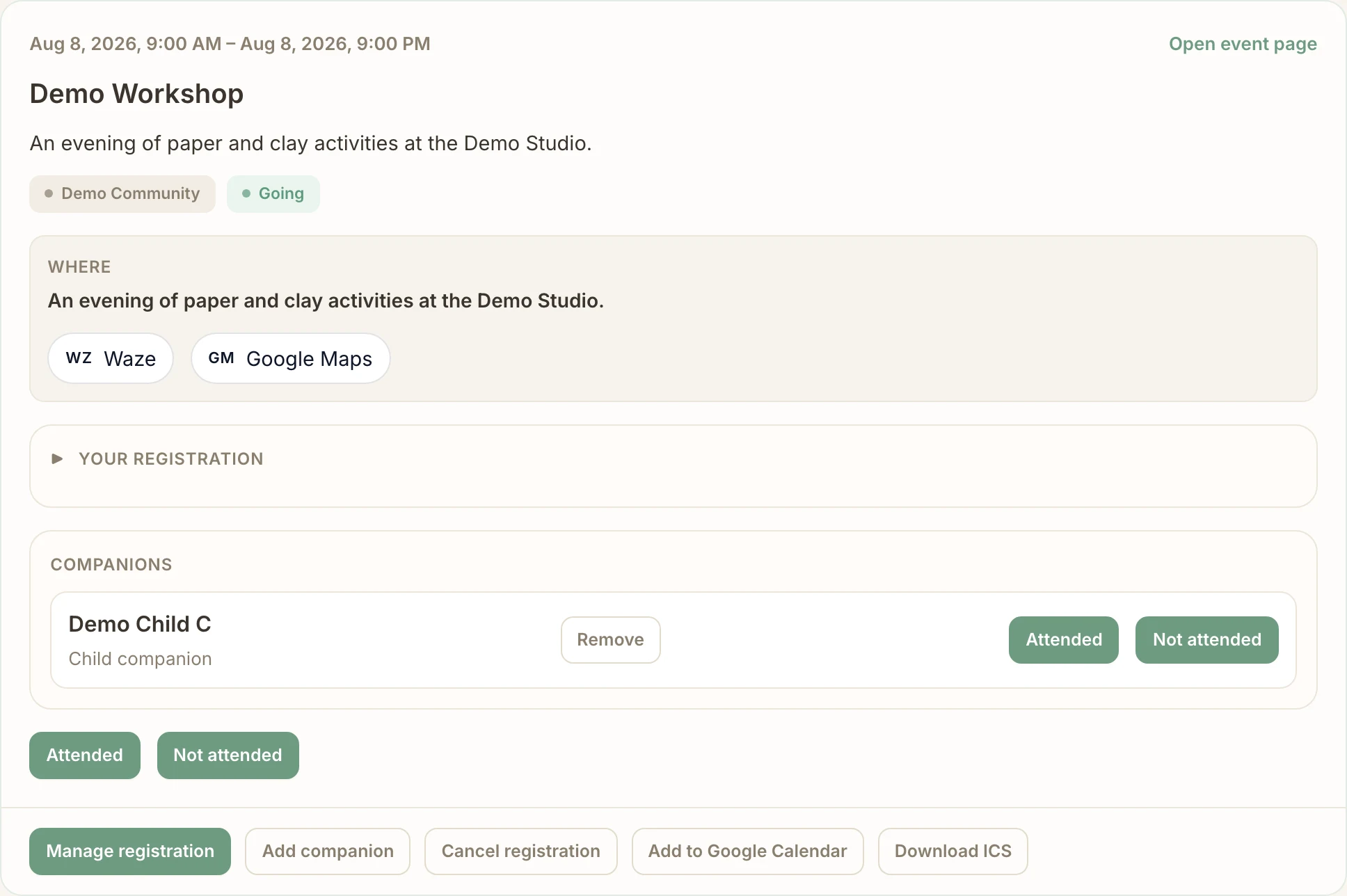
Separate who reserved a place from who actually attended. For Demo Workshop, the organizer records arrivals while Demo Member A reports attendance for themselves and a child. Both paths update the attendance record; a participant’s self-report is not independently verified.
Before you start
- A Community Manager or Core Member with attendance permissions can mark registered participants. Organizer marking becomes available one hour before the event starts for published events, events with closed registration and completed events.
- For automatic Telegram prompts, the Community Manager enables Ask participants if they attended (via Telegram) in Settings → Events → General and saves. Participants must have opened a private chat with the bot.
- Participant self-reporting starts at the event start time. It remains editable until event completion or an organizer’s manual attendance mark, whichever comes first. The prompt setting controls Telegram prompting; My Events uses the same attendance record.
No Commolyn community yet? We’ll set up your community and first event with you. Request a pilot
Step by step
Worked example: Demo Community · Demo Workshop. Screenshots use synthetic records.
Open the guest list. In Demo Workshop, select Registrations and check that Demo Member A is registered.
Attendance applies only to registered people, not to waitlisted or cancelled registrations.
Organizer: mark the outcome. Choose Attended or Not attended beside the person. Their registration status stays the same. Mark companions one by one, so one family member’s absence is not recorded for the whole group.
Participant: respond in Telegram. From the event start, the bot asks whether you are at the event (when the prompt is enabled). Tap Yes or No. For a group, answer for everyone or select the companions who came. A Yes answer shows as Checked in.
Checked in is a self-report, not an organizer’s confirmation.
Report a delay when offered. In the Telegram prompt, tap Running late and choose a preset or enter minutes/hours. The bot records your expected arrival and may ask again later.
Running late does not record attendance or cancel your registration.
Participant: use My Events instead. Sign in on the web, open My Events and find Demo Workshop. Choose Attended or Not attended for yourself and for each linked companion.
The person who registered the group reports for its companions.
Correct the record. Participants can change their own Yes/No answer while the record is unlocked. An authorized organizer can correct attendance through the registration or participation controls, including after completion.
Once an organizer marks attendance manually, the participant can no longer change it.
Complete the event. Review people without an attendance answer, then complete the event. Checked-in people become attended and the remaining registered people become no-shows.
An automatic no-show is a recorded outcome; nobody verified the absence.
Prompt timing and editing
The Telegram prompt window ends at the event end time, or four hours after the start when no end time is set. After that cutoff the bot stops prompting and no longer offers postponement. My Events can still accept a permitted self-report until completion or a manual mark. A child or companion does not independently edit the companion record; the person who registered the group reports for them.
Attendance does not change capacity: a No answer, no-show or arrival estimate keeps the registration’s place occupied. Use cancellation to free a place.
Troubleshooting
Attendance buttons are absent
Check event status, start time, your role and the registration status. Organizer marking has a one-hour lead window; participant self-reporting begins at the start, not an hour earlier.
A participant cannot change an answer
Check whether the event was completed or a team member made a manual mark. Ask an organizer to correct the record.
The Telegram prompt did not arrive
Check the community setting, bot access and whether the person who registered already has attendance recorded. A missing prompt does not prove absence; use My Events or an organizer correction.
Run this workflow in your own community
Request a pilot and we’ll set up your community so organizers can mark attendance and participants can self-report.
Request a pilot