
One community.
Everything connected.
The people. The next music night. The messages and the guest list. Run them together, with a member record that lasts from one gathering to the next.
Try it with your community Explore what you can do ↓A person joins once.
The story keeps growing.
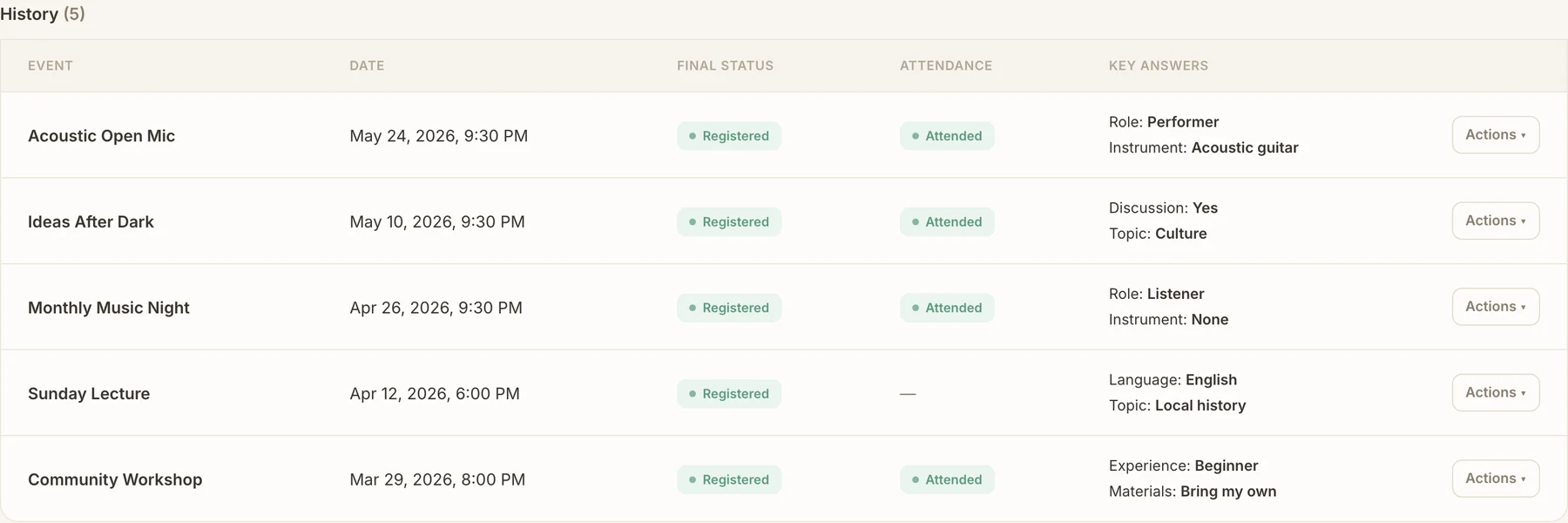
Every registration, answer and arrival belongs to someone you’ll see again. Keep that context for the next gathering.
Maya LindenMember since September 2023
- Instrument
- Acoustic guitar
- Interests
- Music & cultural evenings
Illustrated member journey
Monthly Music NightA familiar face at the open mic.Attended
Role ListenerCompanions One friend
Ideas After DarkA different format. The same member.Attended
Topic CultureDiscussion Yes
Community WorkshopSomething new to try.Registered
Experience BeginnerMaterials Bring my own
Profiles, event answers and participation stay connected. Select a gathering to see its details.
Built around your communityYour way of bringing
Your way of bringing
people together.
Open the part you care about. Choose who joins, how events work and what your team needs to run them.
Welcome the right peopleMembership rules, profiles and a shared community home.
Keep your community open, review applications, or welcome people by private invitation. Ask what matters when they join, and choose which profile answers are required.
Members get one page for upcoming gatherings, with visibility and access respected for each person.
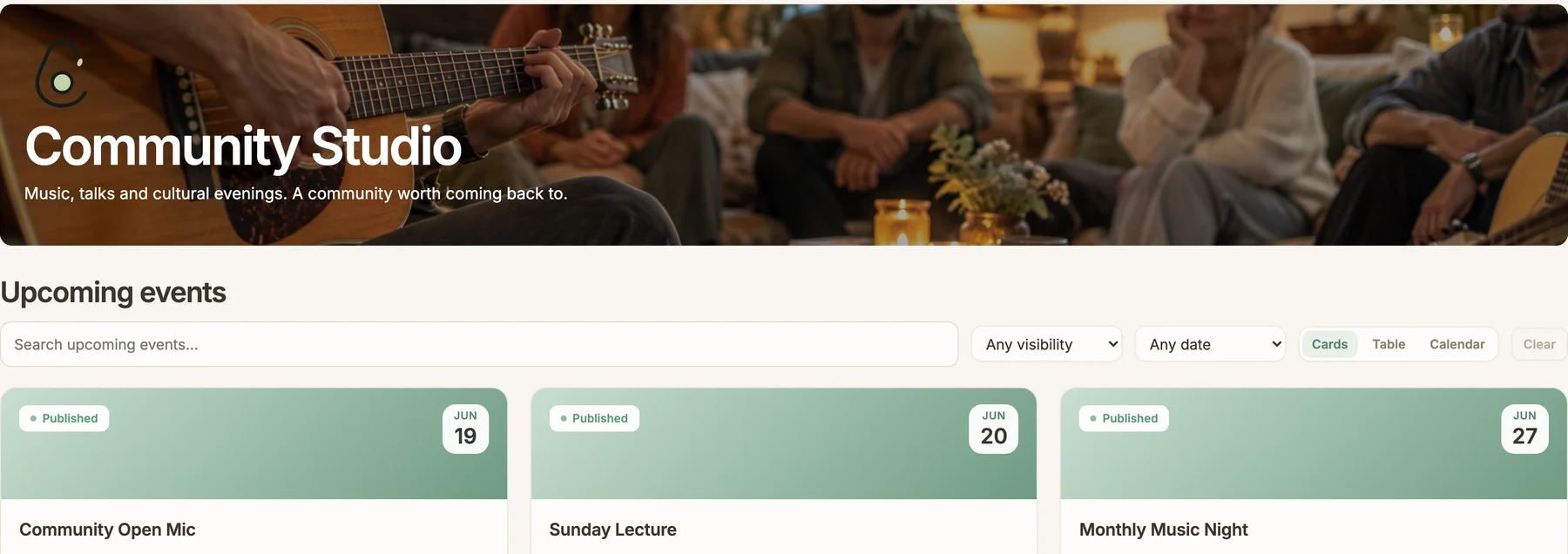
Make every event feel like yoursYour fields, your questions, your page. A setup you can reuse.
A lecture needs speakers and topics. A music night needs a program. Create your own event fields and registration questions, reusing profile information where it helps.
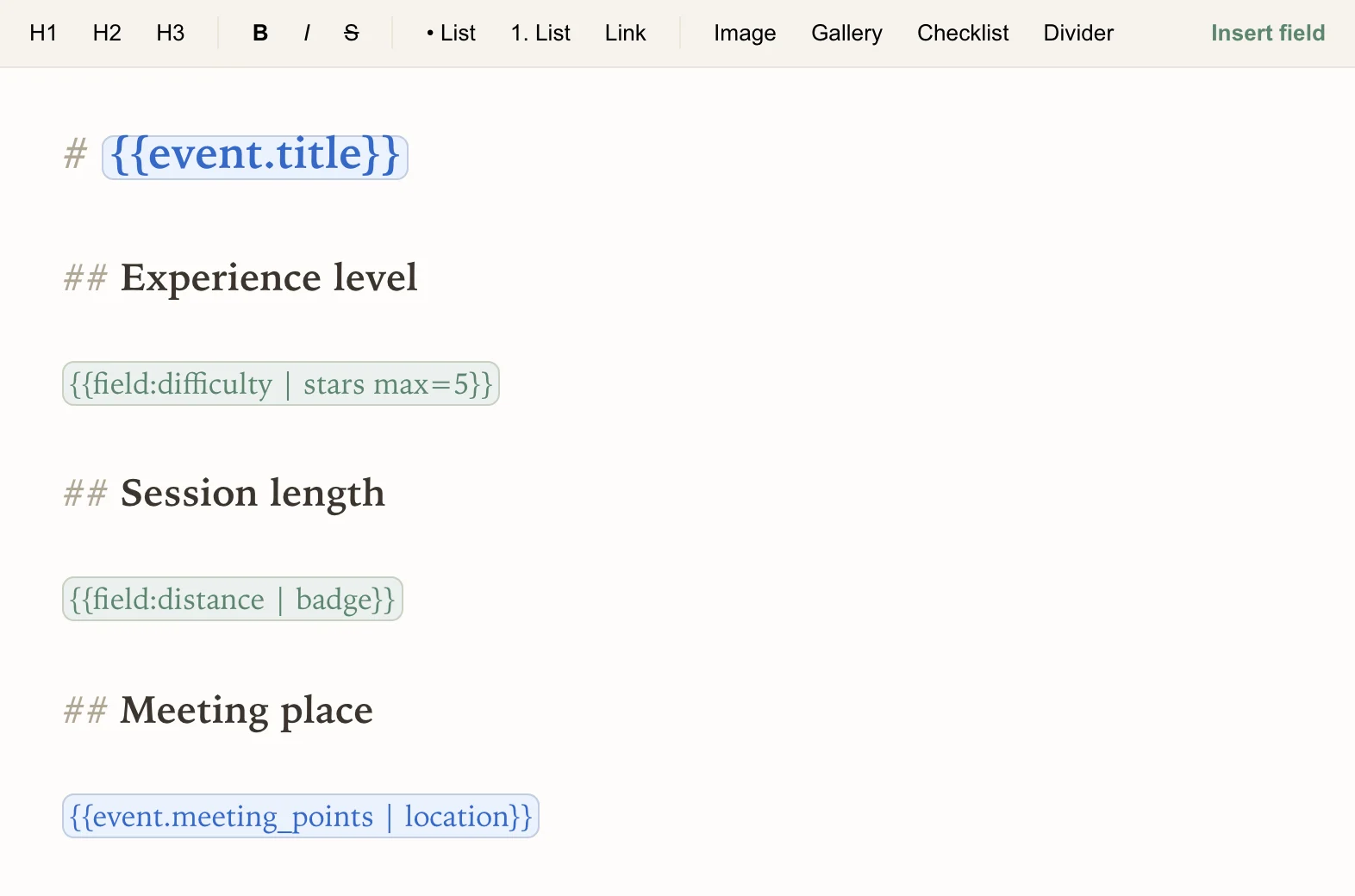
Choose how fields appear — stars, badges or locations — and arrange a template you can preview and reuse. Share a public event page that stays current and can be indexed by search engines.
Turn signups into a useful guest listQuestions, companions, approval and waitlists, together.
Registrations through Telegram, WhatsApp and the portal feed the same guest list. Keep a member, their +1s and children together; collect event-specific answers, including things like bringing a dog.
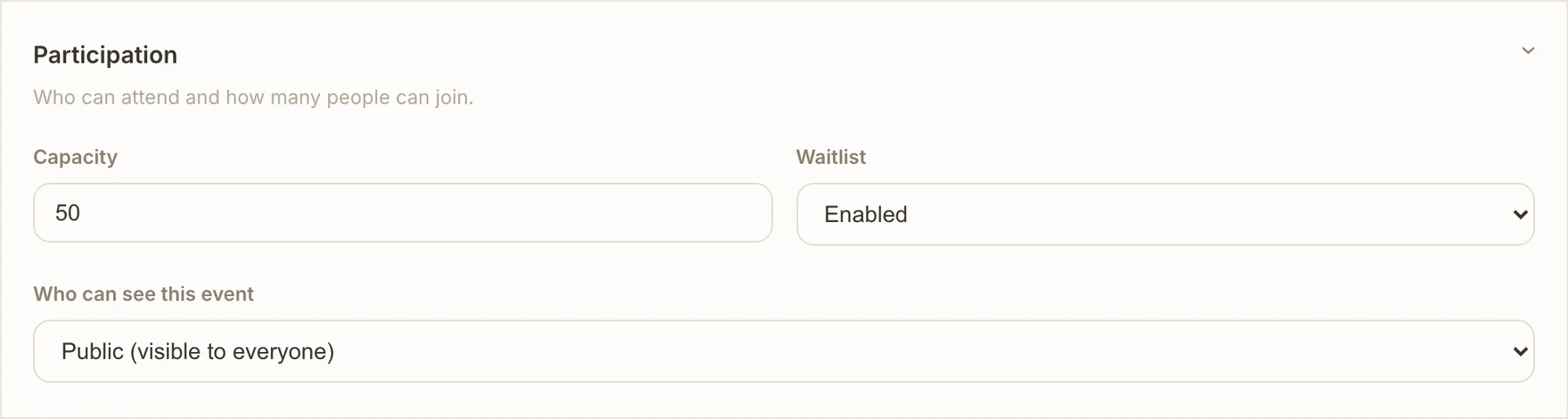
Set capacity and enable a waitlist. Promote the next group automatically when it fits, or do it manually. Review answers, approve registrations and manage cancellations from the same place.

Keep updates moving to the right placesChats, channels, personal bot messages and delivery history.
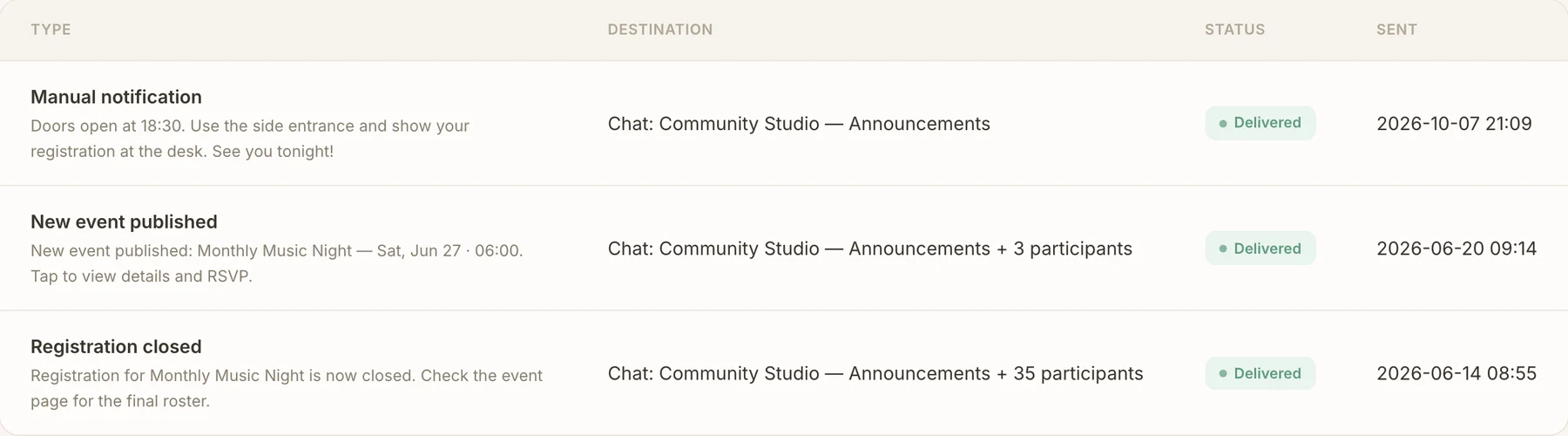
Send announcements to one channel and other notification types to the chats that suit them. Personal Telegram bot messages reach participants directly, with notification preferences they control.
Notify participants as you save an event change. Send a message now or schedule entry instructions and reminders ahead of the gathering. Track where each event message went, its delivery status and when it was sent.
Two sides of the same gatheringThey stay in their chat.
They stay in their chat.
You see the full picture.
Members register through Telegram or WhatsApp and use their messenger or the portal to manage their plans. Your team works with the same current registrations and attendance, without relaying every change through you.
Walk through the member experience ↗Bring trusted people into the team.
Helpers can prepare drafts, review registrations and handle cancellations and attendance. You keep publishing control. Enable participant check-in when it fits the gathering.
Useful long after the doors closeThe next gathering
The next gathering
starts with context.
Who came, what they answered and where they’ve taken part before: it’s already in their profile. Send a closing message, then duplicate the event into a fresh draft with the setup that worked.
A few practical answersGood to know
Good to know
before you start.
Will members have to move out of their chat?
Members can register, manage companions, cancel and confirm arrival through the bot in Telegram or WhatsApp. New-event announcements, event changes and messages from organizers arrive through Telegram; WhatsApp supports the actions members initiate in the chat. The portal gives them a fuller view when they need it. Conversations stay in the community’s existing chats.
Can one community run different kinds of events?
Yes. Use your own event fields, profile questions, registration questions and reusable page templates. A lecture, an open mic and a family gathering can collect and show different information within the same community.
Can I charge for events, passes or membership?
Connect a payment service and charge for individual events, passes by period or number of events, or community membership. Choose the model that fits how your community meets.
What about achievements and scheduled messages?
Recognize participation with badges based on attendance across selected events. Schedule entry instructions and reminders before the gathering, so your messages go out while you focus on the people at the venue.
Start with your next gatheringPut it to work.
Put it to work.
With your own people.
Bring a music night, a lecture or a cultural evening. We’ll help you set up your community and first event, so you can try it with the people who actually come.
Request a pilot Explore the participant experience ↗