
How to let people register for your event through Telegram
Let members sign up in the bot and keep the same registration visible to your team. In this example, Demo Community is opening registration for Demo Workshop. Demo Member A follows the event link, answers the questions and checks the result.
Before you start
- An organizer with permission to publish events must prepare and publish Demo Workshop. A draft event cannot accept registrations.
- Your community’s Commolyn bot must be connected to Telegram; if it is not set up yet, ask us. Participants need Telegram and must open the bot themselves. Joining a channel does not start a private chat with the bot.
- Check community membership/access rules, capacity and whether a waitlist is enabled. Prepare any required profile fields and registration questions before sharing the event.
No Commolyn community yet? We’ll set up your community and first event with you. Request a pilot
Step by step
Worked example: Demo Community · Demo Workshop. Screenshots use synthetic records.
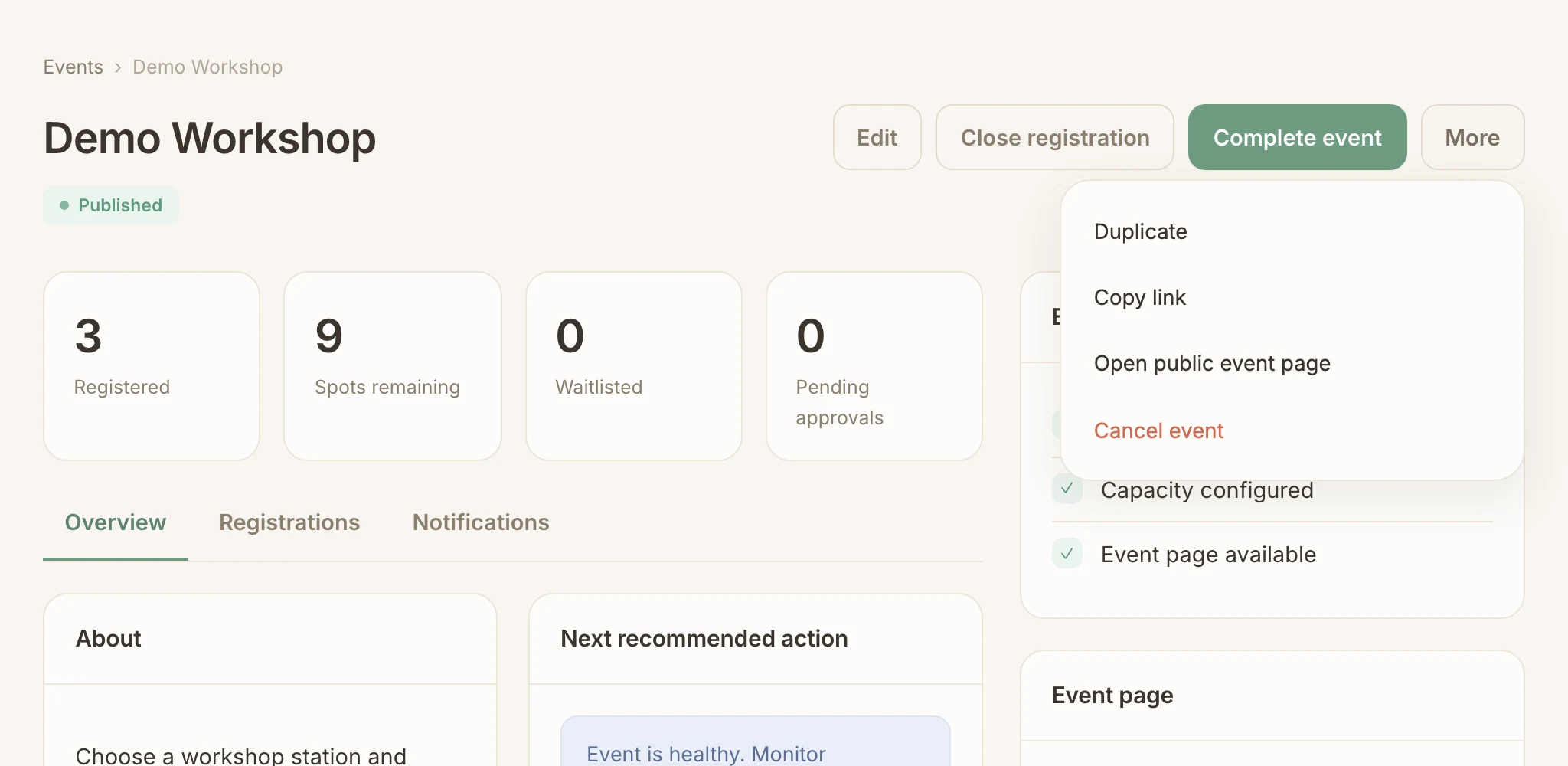
Organizer: share the published event. Open Demo Workshop, choose More → Copy link and share the link in your community. People open the public event page, review the details and register in Telegram from there.
To share a direct bot link, copy the one generated on the event page instead of building it yourself.
Participant: open the bot. Follow the link in Telegram and press Start if Telegram asks. If the bot asks for your community or identity details, complete those prompts first. The bot shows the event name, date and venue. Tap Let's go.
Membership and access rules still apply to shared links.
Complete the questions. Fill in any missing required profile details, then answer the event registration questions. Tap an offered option where there is one, and use Skip for optional questions.
Profile details are kept for later events; event answers belong to this event only. See the questions guide for setup and prefilling.
Choose your group and submit. Choose Just me, review your answers and tap Confirm. The bot replies with a confirmation. To bring someone else, follow the companions guide.
Your registration counts only after this confirmation.
Check the result. Read the bot’s reply. You’re registered means you have a place; You’re on the waitlist means the event is full and you are in the queue. If the reply says your request is under review, an organizer still has to approve your community membership. Tap My registrations or send
/myto see your current record.Organizer: check the registration. Open the event’s Registrations tab and find Demo Member A. The list shows their current status and event answers.
Participant: cancel when plans change. In
/my, open Demo Workshop, choose Cancel registration and confirm. The bot confirms the cancellation.Cancelling your own registration also cancels the companions registered with you. The bot warns you before you confirm.
/my
18:10What happens next
A waitlisted registration does not reserve a place. See how promotion works. If the community requires approval, follow the status message and wait for the organizer’s decision; submitting answers does not bypass access rules.
Troubleshooting
The bot does not open the right event
Return to the organizer’s original generated event link. Select the correct community if asked. A removed, inaccessible or cancelled event cannot be made available by forwarding its old link.
The conversation stopped before confirmation
Reopen the event link and use the bot’s resume option when offered. Complete the missing fields and review. Then check /my before submitting again.
Registration or cancellation is unavailable
Check whether registration has closed or the event has already started. Ask the organizer to inspect your current record instead of assuming a missing button is an error.
Run this workflow in your own community
Request a pilot and we’ll set up your community, connect Telegram registration and prepare your first event with you.
Request a pilot